Draw Rounds
Draw Specifications
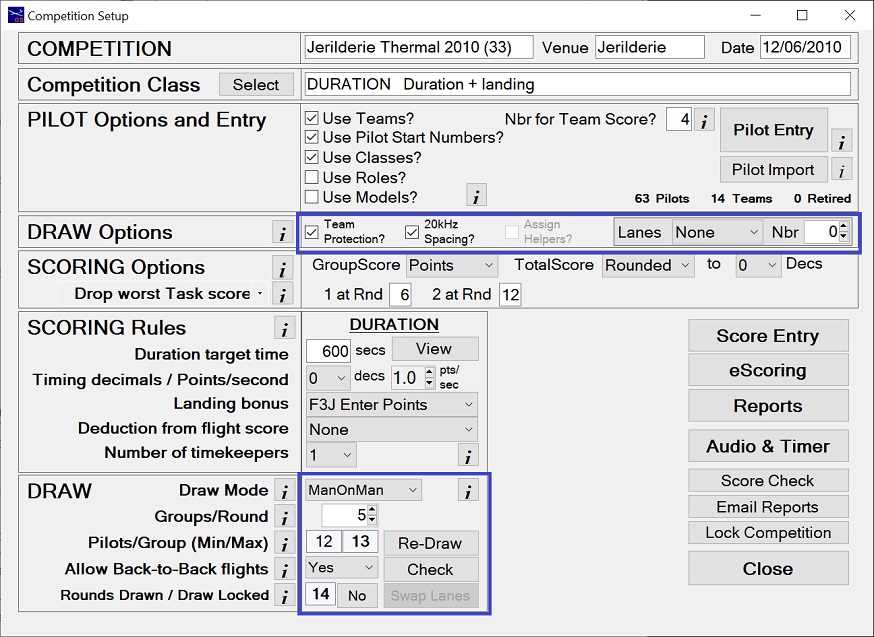
GliderScore takes into account both the 'DRAW Options' and the 'DRAW' specifications.
DRAW Options
Team Protection If using teams, you can also enforce team protection. Pilots in the same team will be in different flight goups.
20KHz Spacing Avoids frequency clashes in the draw. Not required if all entrants are on 2.4GHz.
Assign Helpers Automatically assigns helpers to pilots flying. Not available if using team protection.
Lanes Assigns pilots to a lane to fly from. Choices are
- None - Lanes are not assigned.
- Random - Lanes are assigned randomly.
- Team - Lanes are assigned to teams but changed every round.
- Closest - Assigns the lane number that is as close as possible to the pilot's team number.
DRAW
Draw Mode
You can choose between Man-On-Man or Seeded Man-On-Man.
Most competitions are drawn using Man-On-Man. This maximizes the number of different pilots that a pilot will fly against.
Seeded Man-On-Man (SMOM) requires a new draw after every round. It puts pilots with similar progressive scores into groups.
There is more information about SMOM under the 'Seeded Draw' tab.
Groups/Round
Adjust the number of Groups per Round to get your desired number of pilots per group.
The minimum number of Groups per Round is limited by various settings such as
- maximum number in any one team (if Team Protection selected)
- maximum number on any one frequency (also allowing for 20kHz spacing selection)
- whether the task is flown in groups (Speed and F5B are 1 group per round)
Pilots/Group (Min/Max) figures will change automatically.
Allow Back-to-Back flights
This option is only available if there are three or more groups per round.
- Yes - means that a pilot can be drawn in the last group of a round and the first group of the next round.
This selection gives the best (fairest) draw.
- No - means that a pilot drawn in the last group of a round will not be drawn in the first group of the next round.
Selecting this option will reduce the fairness of the draw but this effect can be small provided that
the Groups per Round is large (perhaps five or more).
Finally, click the Draw button.
Click the Create Draw tab (above) for the next stage.
Draw Rounds
Create Draw
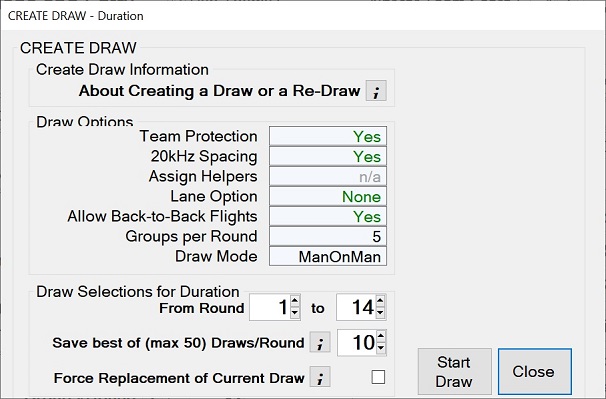
Clicking on the Draw button brings up this screen.
- Adjust the 'To Round' number to the number of rounds that you want to create.
- Click the Start Draw button to begin the draw processing.
The screen will then expand to show the progress of the draw. You can Cancel
the draw at any time.
You should always process the draw a number of times to see if a better draw is generated.
When processing, there are sometimes choices to be made between pilots who are equally good
candidates for the next place in the draw, and this choice can only be made randomly. No
two draws will be the same, and the next one that you create might be better than the one
that you have. The program will keep the best draw of the two (unless you tick the box to
force replacement).
Click the Check Draw tab (above) for the next stage.
Draw Rounds
Create Draw - Speed Draw Options
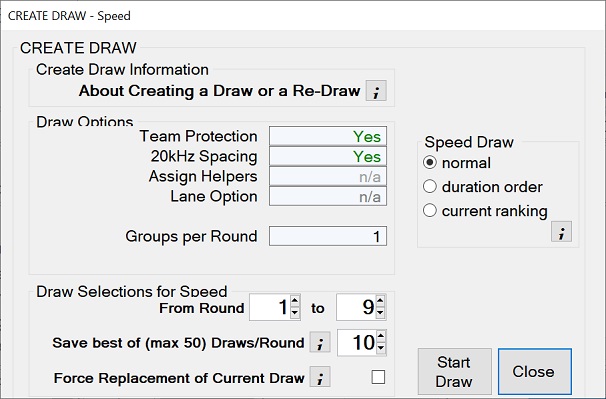
If creating a draw for Speed task, additional options become available.
Only the options that apply to your competition will be enabled.
- Normal
- Separates pilots in the order so that pilots with team and/or frequency conflicts do not follow each other.
- Duration Order
- Places pilots in the Speed draw in the same order that they were drawn for Duration.
This avoids the last pilots in Duration being the first in Speed,
but it is possible that pilots with team and/or frequency conflicts will follow each other.
- Current Ranking
- Ranks the pilot's scores up to and including the round being drawn.
Pilots are then entered in the Speed draw in reverse order so that the leading pilots fly last.
It is likely that pilots with team and/or frequency conflicts will follow each other.
Draw Rounds
Create Draw - F5B Draw Options
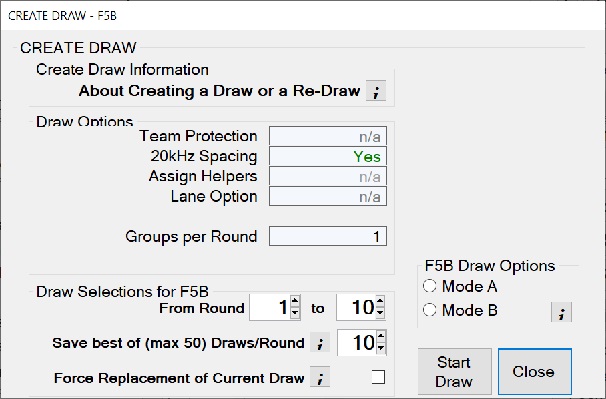
If creating a draw for F5B, additional options become available.
Only the options that apply to your competition will be enabled.
- Mode A
- Separates pilots in the order so that pilots with team and/or frequency conflicts do not follow each other.
- While keeping pilots in the same overall order, moves the topmost pilots to the end for each round change.
- Mode B
- Separates pilots in the order so that pilots with team and/or frequency conflicts do not follow each other.
- Keeps this exact order for all rounds drawn.
Draw Rounds
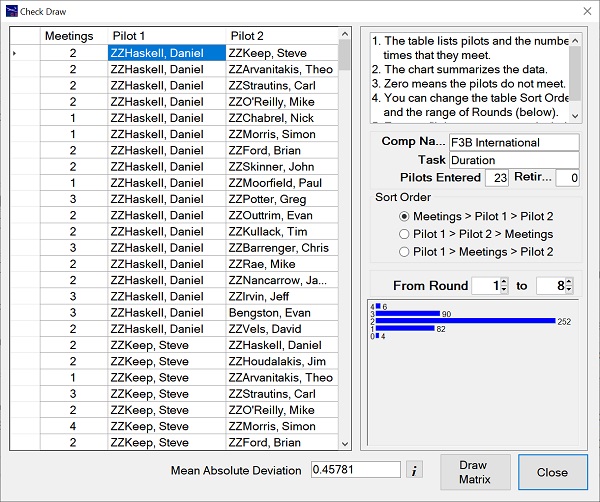
Check Draw
At the end of the draw the Check Draw button appears (on the competition setup screen).
This brings up the Check Draw screen that shows who flies against who, and how many
times.
The overall fairness of the draw is shown as measured by the Mean Absolute
Deviation number at the bottom of the screen. Generally, the lower the number, the better the draw.
The distribution of pilot 'meetings' is shown in the form of a bar graph to give
a quick sense of how well the draw has gone. You can check this for any range of round numbers.
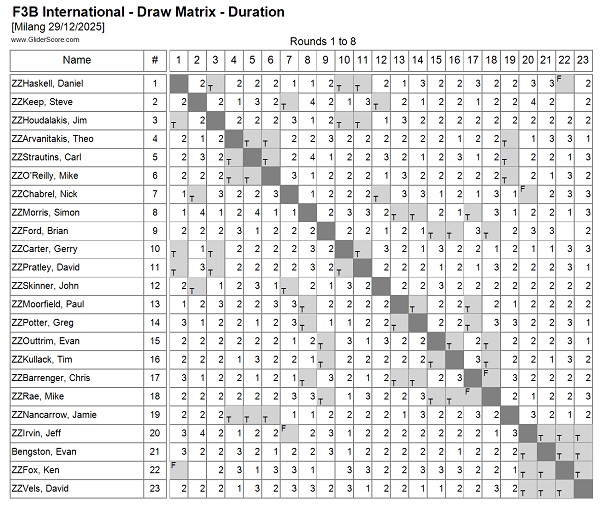
At the bottom of the screen there is a 'Draw Matrix' button. This takes you direcly to the 'Draw Matrix' report.
The 'Draw Matrix' report can be downloaded, previewed on screen or printed.
You can do a Re-Draw at any time.
Draw Rounds
Swap Lanes
The allocation of lanes, changing with each round, is a feature of F3J, but can be used for other competitions having a duration task.
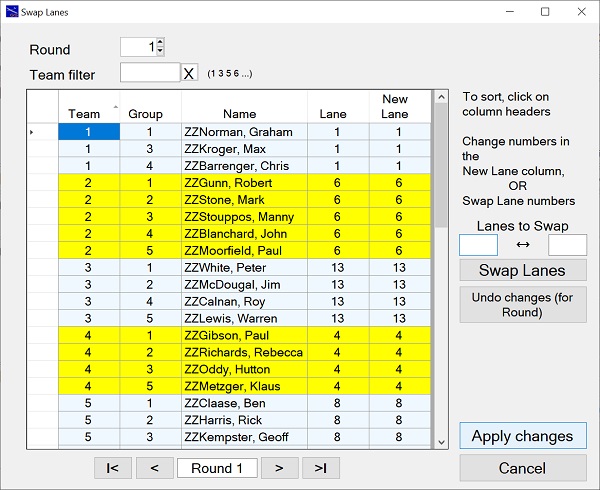
The Swap Lanes button on the Competition setup screen is enabled at the end of a draw where lanes are used.
This brings up the Swap Lanes screen that shows, round by round, who flies from each lane.
The lane allocation may not be ideal if there is a mixture of team sizes and the number of lanes is less than the number of teams.
In this case, use the 'Swap Lanes' screen to make your adjustments.
You can focus on specific teams by entering team numbers in the 'Team Filter' box.
Alternatively, you can simply change the lane numbers in the Scoring screens.
Any changes made will be reflected in the Draw reports.
Draw Reports
Draw Details Reports
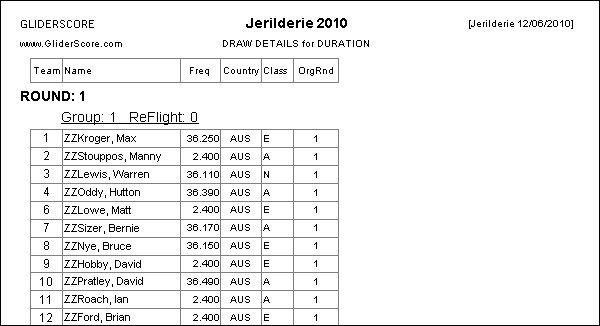
At the end of the draw the Draw Details can be printed or downloaded from the
Reports menu.
As shown at right, four formats are available.
- Draw (large format)
- Draw (small format)
- Draw Table
- Draw (Teams)
You can choose to sort the reports by one of
- Team
- Lane
- Pilot (competition number)
- Name (last name/first name)
As well as these formats, you can print
individual Matrix Badges, one for each pilot
showing their round and group data.
Click on the tabs to see details of this and other reports.
In the case of F5J team events, the draw reports will indicate whether the draw was
made with Team Protection ON or with Team Protection OFF.
Where 'Assign Helpers?' is selected, the Helper name is also shown in the report.
This does not apply to all report layouts because of insufficient space.
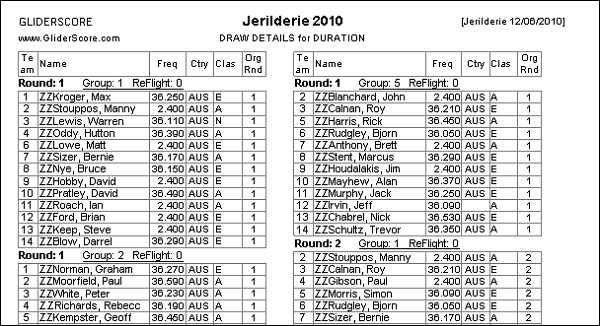
Draw (small format)
This is a more compact version of the first report shown.
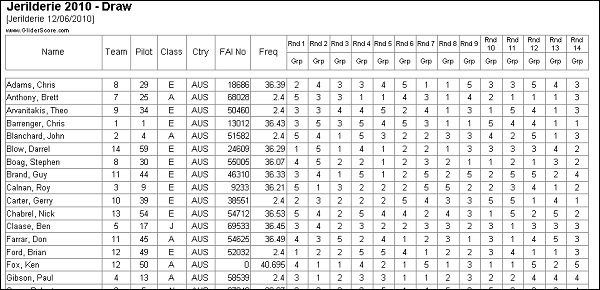
Draw Table
This is a tabular version with one row per pilot.
For F3J, lane numbers can be included (if selected).
For F3B, distance ID codes and speed flying sequence are both shown.
Columns to be included are user selectable (other than Name).
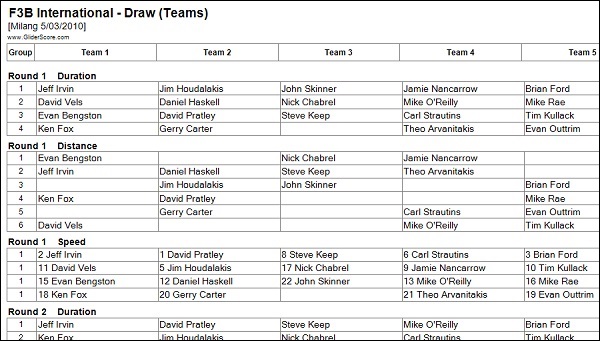
Draw (Teams)
This report has one row per flight group, and one column per team. Note that Team numbers do not
have to form a continuous sequence.
The number of rounds for the report can be selected.
If more than one task (F3B) - the task/s for the report can be selected.
For the Speed task and for F5B - the flying order is indicated by numbers against each name.
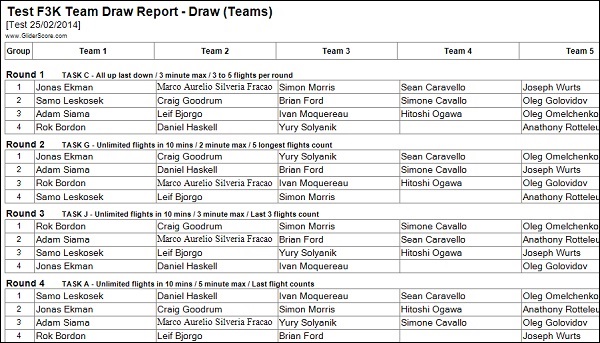
Draw (Teams) for F3K
The F3K version of the report includes a brief description of the task that has been set for each round.
Draw Reports
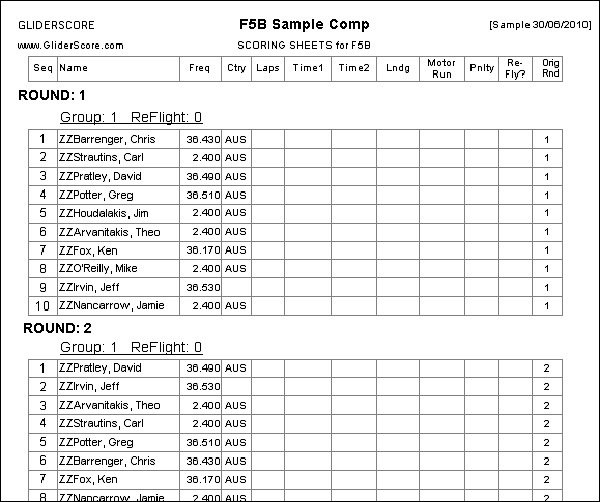
Scoring Sheets
At the end of the draw the Scoring Sheets can be printed or downloaded from the
Reports menu.
Columns are provided according to the selected task and options.
Draw Reports
Score Cards/Score Record
(Note: See below for Pilot's Score Record).
Both blank and pre-filled score cards can be printed for all duration tasks including F3K and F5K.
- F3B Duration Task A
- F3J
- F3K HLG/DLG
- F5B
- F5J
- F5K
- Open Thermal
- Electric Thermal
F3K and F5K Score Cards
(See further below for Duration task score cards)
F3K and F5K Score Cards follow a similar pattern as both require a layout suited to the task for the round.
Everything that applies to F3K score cards also applies to F5K score cards.
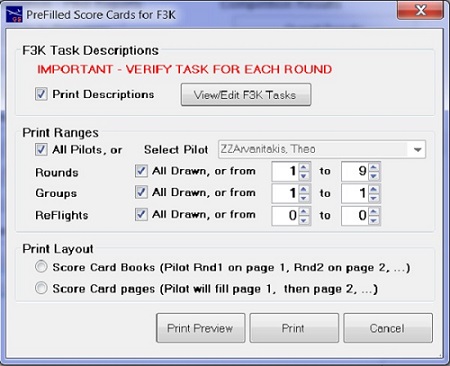
This screen shows selections for pre-filled F3K score cards. The selections available
will differ according to the requirements. For example, there is a different selection
screen for blank score cards.
There are two layouts for pre-filled score cards.
- Score card Book layout - the pilots appear in the same position on each successive
page. Pages can be cut through to make a score card book for each pilot.
- Score card Page layout - each pilot prints on a page/s until completed, to be followed
by the next pilot, and so on.
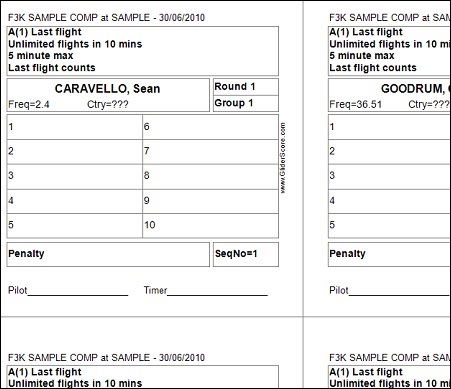
This is an example of a pre-filled F3K Score Card.
Printed 6 to a page, F3K pre-filled score cards include (as applicable).
- Task code and description
- Pilot name
- Pilot frequency
- Pilot country
- Pilot team number
- Pilot start number
- Pilot class
- Round number
- Group number
- Numbered boxes for entering scores. If only 5 flights are allowed (for example),
only 5 boxes will be numbered
- A box for recording penalties
- Spaces for the pilot and the timer to sign
- Sequence Number (the position of the pilot on the score entry screen)
Duration Task Score Cards
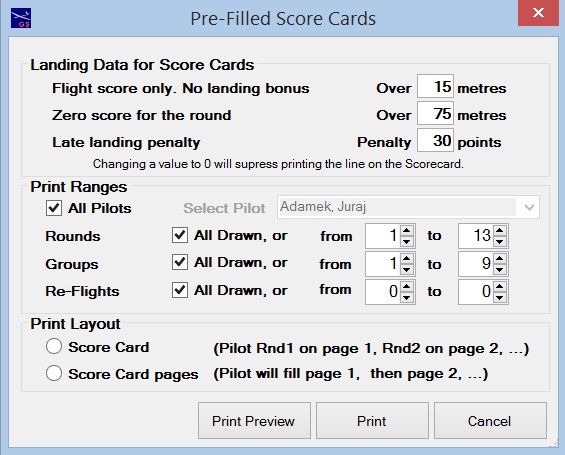
This is the selection screen for Duration task score cards.
Landings play a major part in the scoring process and so a
lot of information is made available on the score card.
Complete the top section to specify the landing rules for your competition.
These rules are automatically saved for re-use (separately for F3J, F5J, Electric and all other).
There are two layouts for pre-filled score cards.
- Score card Book layout - the pilots appear in the same position on each successive
page. Pages can be cut through to make a score card book for each pilot.
- Score card Page layout - each pilot prints on a page/s until completed, to be followed
by the next pilot, and so on.
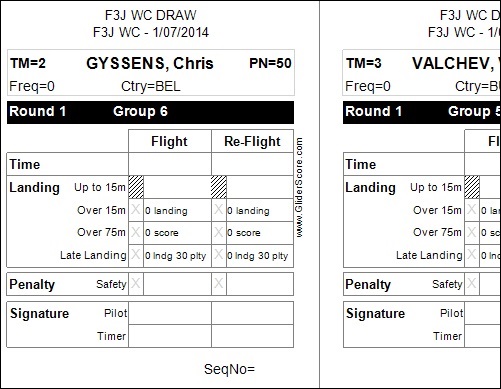
This is an example of pre-filled duration task (F3J) Score Cards.
Printed 8 to a page, these score cards include (as applicable)
- Pilot name
- Pilot frequency
- Pilot country
- Pilot team number
- Pilot start number
- Pilot class
- Round number
- Group number
- Lane number
- Boxes for entering scores, including re-flight scores if necessary
- - Laps (F5B)
- - Time
- - Landing
- - Motor Run (F5B and Electric)
- Box/s for recording penalties
- - Late Landing (F3J)
- - Safety
- Spaces for the pilot and the timer to sign
- Sequence Number (the position of the pilot on the score entry screen)
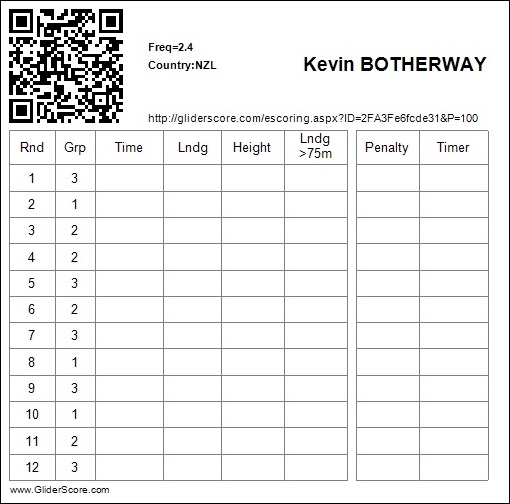
Pilot's Score Record
From the Reports Menu → Score Cards you can print Pilot Score Record cards
similar to this one.
The Record cards can be printed for all competition types including F3B, F3K and so on.
- F3B
- F3J
- F3Q
- F5B
- F5J
- F5K
- Open Thermal
- Electric Thermal
- ALES
The Record cards are in a standard format that allows pilots to keep a record of
their flight scores. They can be used to check against the scores that are entered.
The Record cards are 'pre-filled' and will show round and group numbers if the draw
has been completed.
The QR Code print has the URL (also printed on the Score Record) embedded in it.
Scanning the QR Code with a smartphone will open a score entry screen (if competition data has been uploaded using the eScoring menu).
Typing the URL into the search area of any browser will do exactly the same thing.
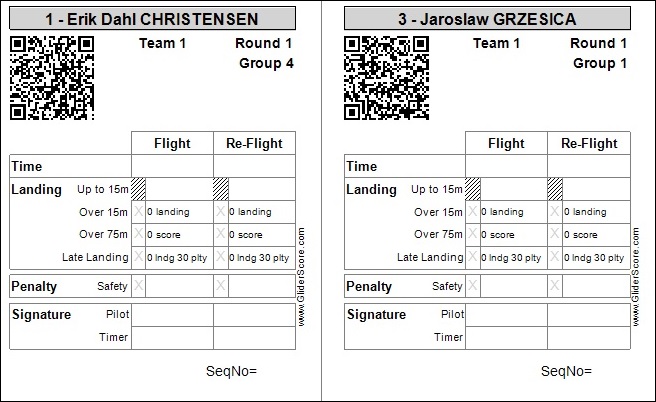
Draw Reports
QRCoded Score Card
(Click here to see the QRCode Setup screen.)
From the Reports Menu → Score Cards you can print pilot Score Cards
with a QRCode included like these.
The QRCode Setup screen is available from the Main Menu and within the print selections for Score Cards.
This is where you can specify exactly what is to be encoded.
These QRCoded Score Cards are provided to assist developers who are able to create apps to collect scores using smartphones.
If you are entering scores directly into GliderScore, you should use the standard Score Cards.
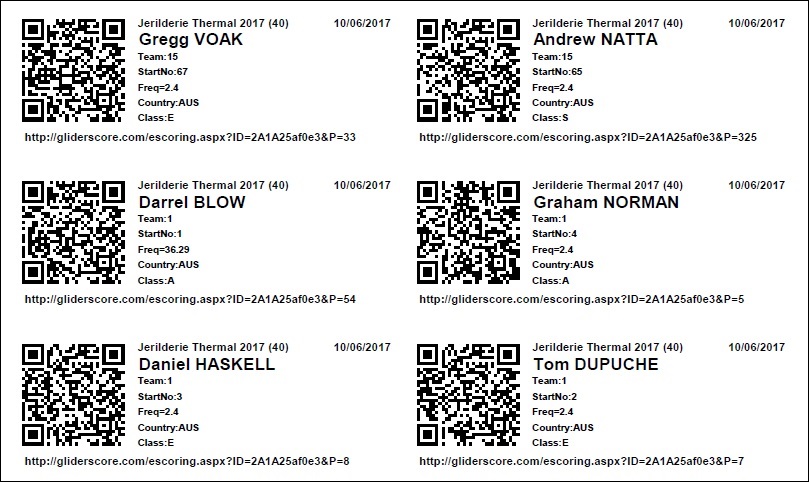
Draw Reports
QR Code List
(Click here to see the QRCode Setup screen.)
From the Reports Menu → QR Code List you can print a list of QR Codes. There is no provision for recording scores.
Print this list to have a complete and compact list of all pilot QRCodes for your competition.
There are up to 14 codes printed per A4 page.
Draw Reports
Badges
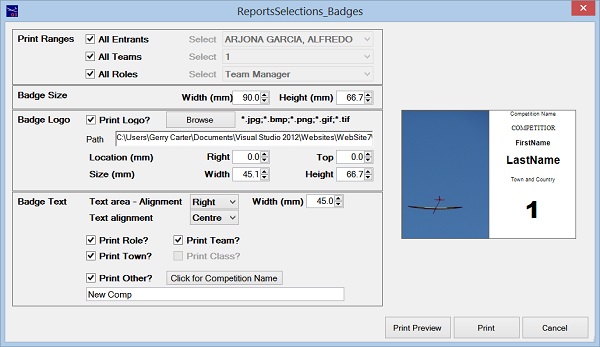
From the Reports Menu → Badges you can print identification badges for all entrants.
This may be just for pilots, but if you selected 'Use Roles' in the competition setup screen, and
entered people in roles such as Team Manager, Competition Director, Jury Member, and so on, badges
for these entrants can also be printed.
Badge Size - Within limits, the overall size of each badge can be changed.
Badge Logo - Having a logo on the badge is optional. If selected, the height, width and location can be altered.
Badge Text Area - the text area can be aligned to the left, centre or right and the width of the text area can be altered.
Badge Text - the text within the text area can be aligned left, centre or right. Some text is optional.
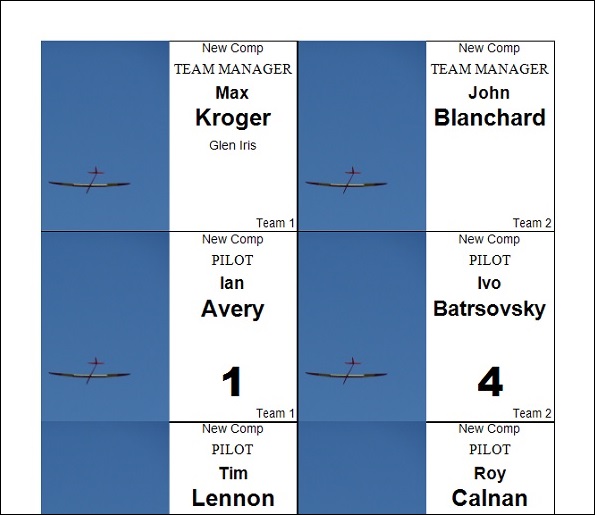
The badges will print like this.
What actually gets printed depends on your selections.
It is also possible to use the 'badges' as labels. Use on packages for entrants.
Draw Reports
Matrix Badge
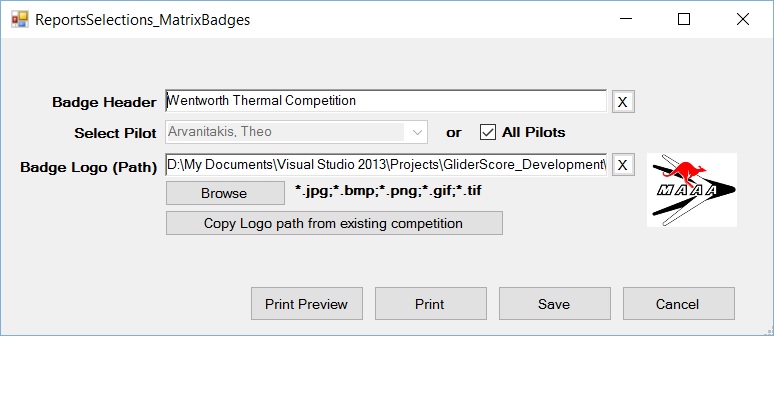
From the Reports Menu → Matrix Badges
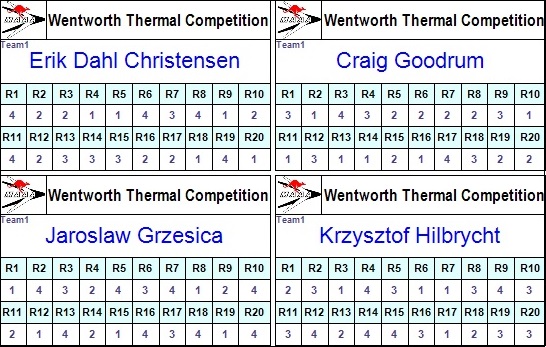
Print a separate badge for each pilot.
Each badge has a table showing, for each round of the draw, the pilot's flight group.
If using the Lanes facility, the print will also show the Lane number.
The badges are sized so that they easily slip into a holder similar to a name badge holder.
The badges print 10 on each A4 page.
Up to 24 rounds can be printed per badge.
Seeded Man-on-Man
With Seeded Man-on-Man (SMOM) pilots are drawn in groups according to their cumulative scores.
The first round is drawn randomly and then flown and scored. Only then is the second round drawn.
The lowest scoring pilots (at Round 1) fill the first group, the next higher pilots fill the second group, and so on.
In this way each round is flown and scored before the next round is drawn.
If several pilots have the same score and are candidates for the last place in a flight group, GliderScore allocates them randomly.
There are some restrictions.
- You can't use SMOM where there are frequency clashes.
- 'Allow-back-to-back' becomes irrelevant because of the seeding.
- There must be at least two flight groups per round.
- The task must be a single task. Either one of the duration tasks, F3K or F5K.
- SMOM is not available for F5B.
From the Competition Setup screen, create the draw for Round 1 in the usual way.
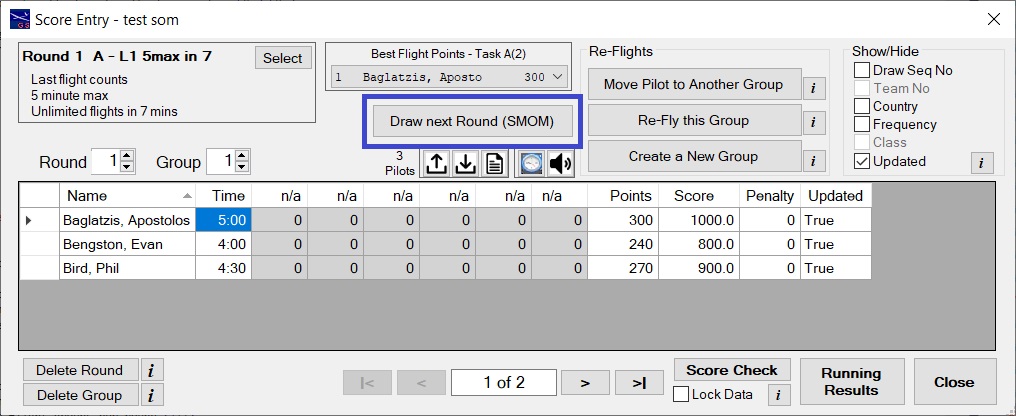 After all the scores are in for Round 1, click on the button to draw the next round.
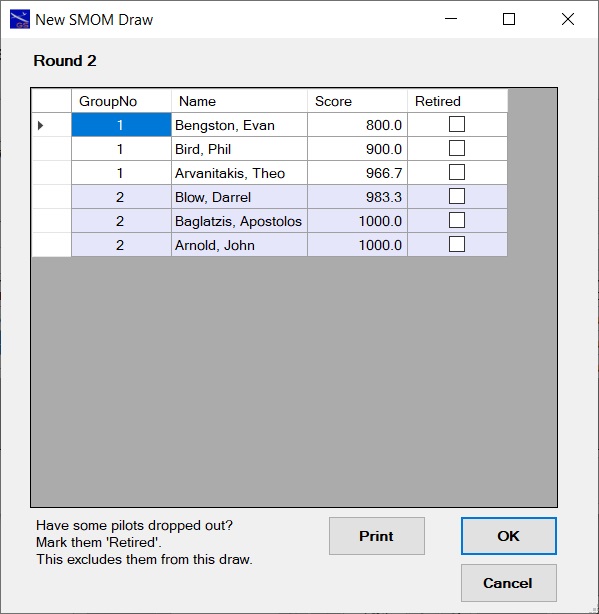 You will see a screen like this.
Click on 'OK' to create the new Round and resume flying.
You can 'Retire' pilots who are not able to continue. They will not be in the next round. See further below for an example.
'Retired' pilots can be 'Un-Retired' at a later time if they overcome their issues.
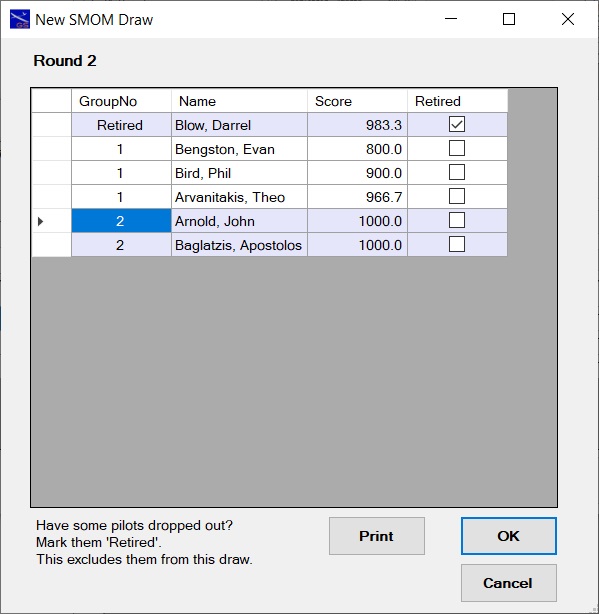
In this example a pilot has been marked 'Retired' and will not be in the draw for Round 2.